












Hotel Booking Engine: A Guide for Independent Hotels
- 17 April 2025
- Nicky. M

A hotel booking engine lets guests check availability and reserve rooms directly through your hotel website. For independent hotels in the UK, the right system should make booking straightforward for guests and keep reservations, rates and payment information connected for your team.
This guide explains how hotel booking engines work, which features to compare, five providers to consider and the costs to check before you buy. Whether you run a small hotel, a B&B or a boutique property, use it to assess your first booking engine or plan a switch from your current system.
Want to see the guest journey in practice? Book a RoomRaccoon demo for your property and ask the team to demonstrate your room types, rate plans and payment requirements.
Guide updated: 16 October 2026.
What is a hotel booking engine?
Also called an internet booking engine (IBE) or direct booking engine, it is the part of your online booking system that guests use to choose and reserve their stay.
Booking engine vs PMS vs channel manager
A booking engine, property management system and channel manager do different jobs. They can be supplied separately or combined in one platform. Understanding the difference helps you choose the right hotel booking system without paying for overlapping tools.
- Booking engine: the online checkout for your hotel. Guests search dates, choose rooms and complete direct reservations.
- Property management system (PMS): the operational system your team uses to manage reservations, room allocation, guest records and arrivals. Read our PMS guide for a fuller explanation.
- Channel manager: the connection that distributes rates and availability to connected booking channels and receives reservations. A hotel channel manager helps keep your direct and OTA inventory aligned.
- Hotel booking system: a broader term that may describe a booking engine alone or a complete reservation platform. Check which functions a supplier actually includes.
How does an online booking engine work?
An online booking engine takes guests from an availability search to a confirmed reservation. A booking button on your hotel website, or a link shared through social media, opens that journey. The engine displays the rooms, rates and booking conditions you have made available for direct sale.
You do not necessarily need a new website to accept direct bookings. RoomRaccoon provides booking links and website widgets; your web developer can use these to connect your existing site to the booking engine. Check the installation method, mobile experience and tracking setup before launch.
Explore RoomRaccoon's hotel booking engine to see the available features, or follow the five booking steps below.
-
Step 1: Search dates and availability
Guests enter their arrival and departure dates, number of rooms and party size. The booking engine checks connected inventory and shows eligible rooms, taking account of restrictions such as minimum stays and maximum occupancy.
-
Step 2: Choose a room and rate plan
Guests compare room descriptions, photographs, prices and cancellation conditions. Depending on your setup, they can select a room-only or breakfast-inclusive rate and add extras such as parking or late check-out.
-
Step 3: Review the total price
The engine applies eligible promotions and displays the total stay price. Rates may be supplied by your PMS or revenue management tools. A non-refundable rate is a booking condition; dynamic pricing is the practice of adjusting prices as demand or other factors change.
-
Step 4: Enter details and confirm
Guests provide their contact details and complete the required payment or card guarantee. Your rate policy determines whether you collect a deposit, full payment or payment later. After a successful reservation, the guest receives a confirmation with the stay details and booking conditions.
-
Step 5: Update the reservation calendar
The booking enters your PMS, and the connected channel manager distributes updated availability to your other channels. These connections reduce manual re-entry and the risk of overbooking. Confirm how your chosen system handles amendments, cancellations and failed updates as well as new bookings.
Hotel booking engine features and benefits
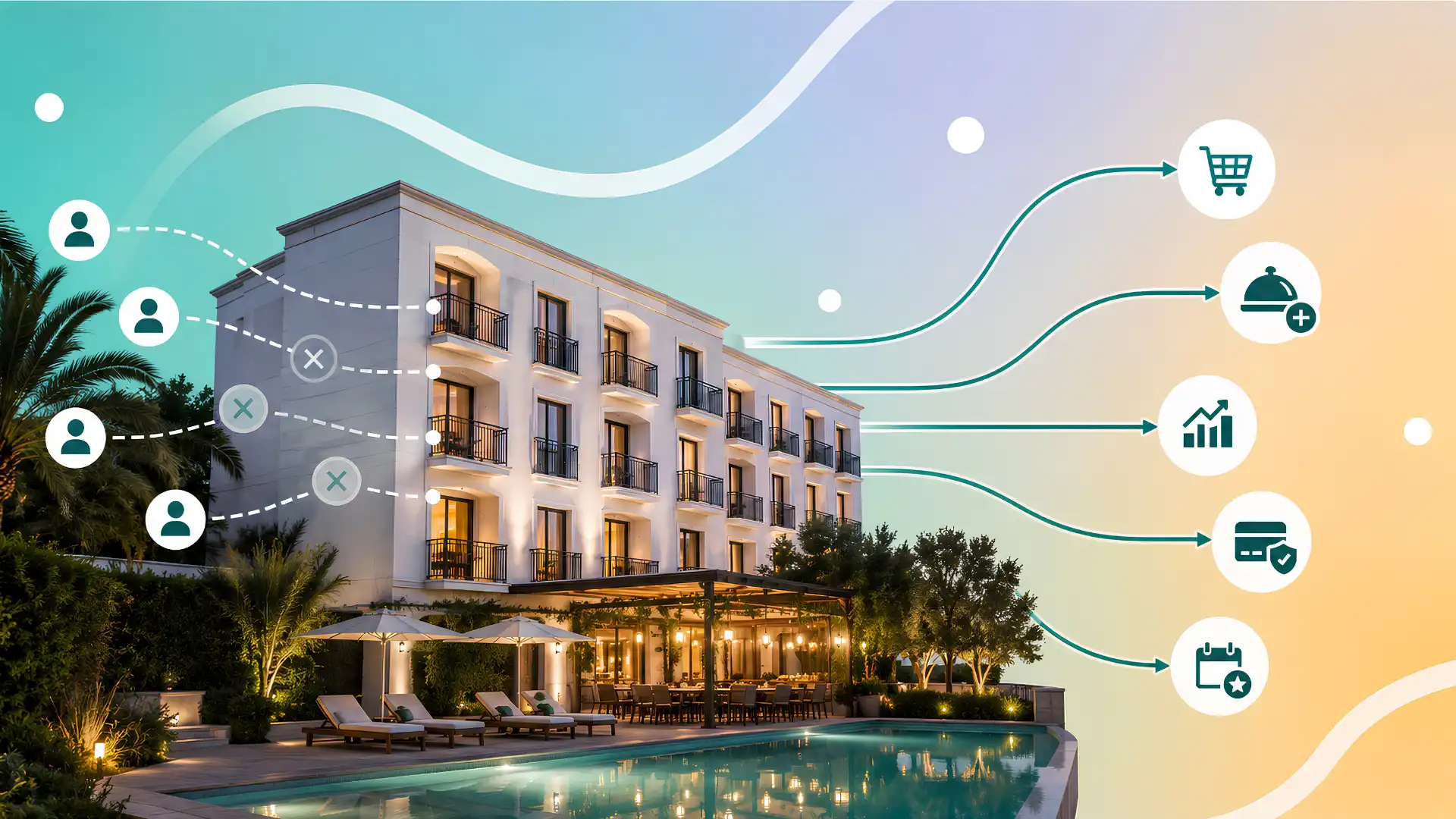
The essential features of a hotel booking engine are live availability, mobile-friendly booking, clear rate plans, payment handling, automated confirmations and reliable PMS connectivity. Branding, packages, reporting and multi-property search can add value, depending on your property.
Use the four areas below to connect each feature to a practical benefit for guests or your team.
1. Mobile booking and a clear guest experience
A clear booking journey helps guests understand what they are buying and complete a reservation with confidence. Test the experience on a phone as well as a desktop computer.
- Mobile usability: dates, room options and payment fields should be easy to use without pinching or zooming.
- Transparent choices: show room occupancy, included extras, the full stay price and cancellation conditions before confirmation.
- Consistent branding: use recognisable hotel imagery, room names and descriptions throughout the booking journey.
- Relevant languages and currencies: check which are supported and distinguish a displayed currency conversion from the currency actually charged.
- Accessible forms: check readable labels, keyboard navigation and helpful error messages when a guest misses a field.
For a B&B or boutique hotel, useful detail might include breakfast times, parking arrangements or whether a room can accommodate a child. Answering these questions before checkout can reduce the need for booking enquiries.
2. Booking insights and conversion tracking
Booking engine software should help you understand both completed reservations and where guests leave the booking journey. Ask what reporting is included and how website activity connects to confirmed bookings.
- Reservation reporting: compare direct booking revenue, room nights, average booking value, cancellations and popular extras.
- Conversion tracking: check whether your analytics setup can follow guests from the hotel website into the engine and record a completed reservation once.
- Booking funnel: review the steps from date search to checkout to identify where guests abandon a reservation.
When assessing performance, use the same reporting period and definitions. A conversion rate based on booking engine visits is different from one based on all hotel website visits. Confirm tracking availability, setup responsibilities and consent settings with your provider.
3. Rate plans, packages and direct booking revenue
A booking engine gives you control over your direct offer. It can help improve the value of a reservation, but profitability still depends on your rates, marketing spend, payment fees and operating costs.
- Rate plans: offer clearly explained options, such as room-only, breakfast-inclusive and flexible cancellation.
- Packages and extras: let guests add relevant services, such as dinner or parking, and make inclusions easy to compare.
- Promotional codes: create targeted offers and measure the revenue they generate rather than discounting every booking.
- Multi-property search: if you operate several hotels, check whether guests can see availability across your collection.
Compare the net contribution of direct and OTA reservations. Direct bookings can avoid OTA commission, but they still have acquisition and processing costs. A balanced distribution strategy can help you reach new guests while developing repeat direct business.
4. Connected reservations and less manual work
Connecting your booking engine to your PMS and channel manager reduces the need to copy reservations between systems. The operational benefit comes from reliable data flow, not simply from adding another booking tool.
- Shared availability: connected systems update the rooms available for sale when bookings or cancellations occur.
- Payment visibility: staff should be able to see deposits, outstanding balances and the status of a payment without checking several systems.
- Guest communication: automated confirmations give guests their reservation details promptly. Pre-arrival messages and other workflows depend on the connected platform and package.
Ask who resolves a failed synchronisation and how your team is alerted. If you collect deposits online, also check settlement timings rather than assuming every payment reaches your account immediately.
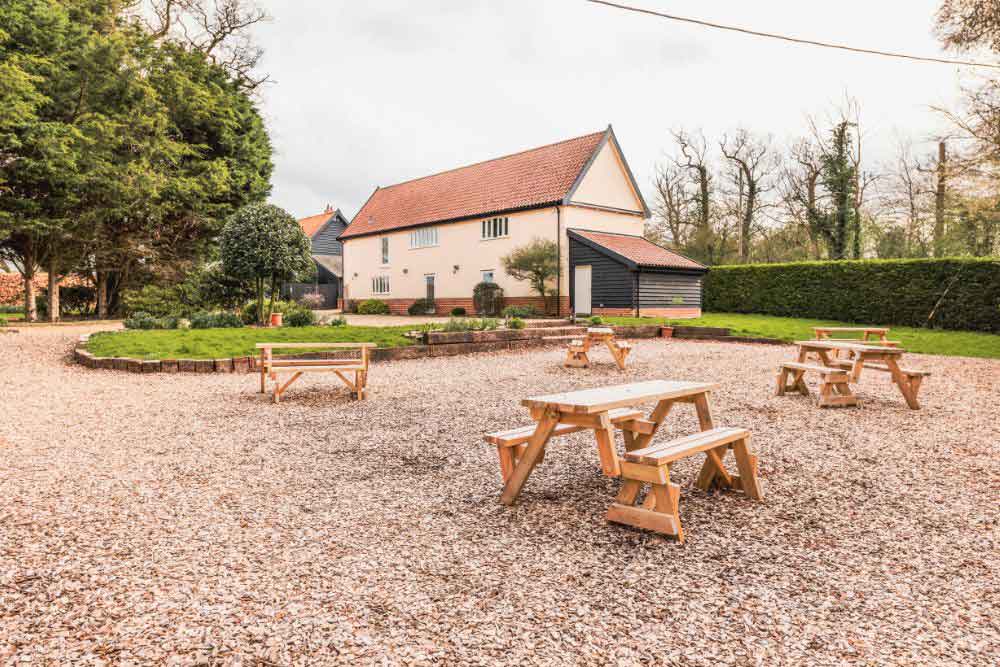
The Bull Auberge reports £1,000 in monthly savings
The Bull Auberge is an 11-room hotel in Suffolk. Its team wanted to increase direct bookings and reduce reliance on OTAs. In RoomRaccoon's published customer story, the property reports saving £1,000 per month on OTA commissions.
The hotel used Raccoon Price Checker to help guests compare its direct rates with OTA rates. This is one property's reported experience; your outcome will depend on your booking mix, rates and costs. Read The Bull Auberge case study for the context.
Book a demo for your hotel to explore direct bookings and confirm which tools are included in the package you are considering.
Five hotel booking engines to compare
The best hotel booking engine for your property depends on your existing systems, booking requirements and budget. These five providers offer different routes to direct reservations.
This guide is published by RoomRaccoon. The numbered list is a comparison shortlist, not an independent ranking. Use the linked product pages to check current features and ask each provider for a quote based on the same requirements.
| Provider | Product focus | Key question for your demo |
|---|---|---|
| RoomRaccoon | Booking engine within an integrated hotel platform. | Which functions and upgrades are included in my package? |
| Noovy | Connected hotel operations and direct booking tools. | How will my rate plans and payment policies work? |
| Little Hotelier | Booking and management tools for small properties. | How does the selected plan fit my room count and booking volume? |
| Access Hospitality | Booking technology alongside website and marketing services. | Which PMS connections and services are included? |
| Mews | Booking engine connected to the Mews PMS and payments. | How are rooms, extras and other bookable spaces configured? |
1. RoomRaccoon
Platform: RoomRaccoon combines a PMS, channel manager, booking engine and integrated payments. Its hotel booking engine supports direct reservations, promotional codes and guest add-ons.
Consider it if: you want direct bookings and daily hotel operations managed through one connected platform for an independent property.
Check before choosing: compare the RoomRaccoon packages against your requirements. Tools such as Price Checker and analytics integrations can depend on your plan. Commission-free booking does not mean cost-free processing: payment transaction fees are separate from the subscription.
2. Noovy
Platform: Noovy brings property management, channel management and a booking engine together with payments and guest communication tools.
Consider it if: you are comparing integrated hotel platforms and want to assess direct bookings alongside front desk operations.
Check before choosing: ask the team to demonstrate your room types, packages and group booking workflow. Confirm the integrations, support arrangements and payment costs included in your proposed package.
3. Little Hotelier
Platform: Little Hotelier offers direct booking tools alongside front desk management and channel management, with a focus on small accommodation businesses. Its booking engine supports website bookings, extras and promotional offers.
Consider it if: you run a small hotel, guest house or B&B and want to compare everyday reservation workflows.
Check before choosing: review the selected plan’s subscription, booking-related charges, payment fees and support channels. Test the functions your property needs instead of assuming every package includes the same tools.
4. Access Hospitality (Guestline)
Platform: Access Hospitality's Booking Engine+ brings together direct booking technology, website services and digital marketing support for hotels.
Consider it if: you are evaluating your wider direct booking strategy alongside your hotel systems. Existing Guestline users should confirm how the proposed solution connects to their specific PMS and distribution setup.
Check before choosing: establish which booking engine, website and marketing services are included in your quote. Ask the team to demonstrate the PMS connection, payment arrangements, reservation changes and implementation requirements.
5. Mews
Platform: the Mews Booking Engine connects website reservations with the Mews PMS and embedded payments. Its offering also includes bookable spaces beyond bedrooms, such as parking and meeting rooms.
Consider it if: you are evaluating the Mews platform and want to assess room reservations alongside other bookable services.
Check before choosing: ask which features and integrations your proposed package includes. Demonstrate your rate plans, payment policies and non-room inventory, and establish the full implementation and ongoing cost.
How to choose the best hotel booking engine
Start with your property’s requirements, then compare providers against the same checklist. For an independent UK hotel, that might include GBP payments, breakfast packages, family occupancy rules, a connected PMS and support available when your team needs it.
Separate essential functions from optional upgrades, and ask each supplier to demonstrate the essentials in a working booking journey.
1. Compare hotel booking engine costs
Hotel booking engine pricing may include a fixed subscription, booking-based charges or a combination of fees. Compare the total cost over the same period using your expected booking volume, and request a quote in GBP with VAT clearly identified.
- Subscription: confirm whether charges vary by room count, property or selected package.
- Booking fees: check for booking commission and which reservations attract it.
- Payment processing: request the applicable transaction fees for the cards, currencies and payment methods your guests use.
- Setup and extras: include onboarding, data migration, integrations, optional modules and any website work.
- Contract terms: check the minimum term, renewal conditions and cancellation process.
Commission-free does not mean free. A provider can charge no booking commission while still charging subscription and payment processing fees. For RoomRaccoon, review the current pricing and package details and request a quote for your property.
Illustrative comparison: an OTA reservation worth £200 with a 15% commission incurs £30 in commission. Moving that reservation to your website avoids that particular charge, but the net saving depends on your direct marketing, software and payment costs. The figures illustrate the calculation; they are not RoomRaccoon prices or a savings forecast.
2. Test the guest and staff experience
Complete a test reservation on a phone from the hotel’s homepage. Can you find availability, compare rates, understand cancellation terms and reach confirmation without confusion? Check family bookings and sold-out dates as well as a straightforward two-person stay.
Then switch to the staff view. Ask a receptionist to find the reservation, change the dates and explain the payment status. A useful demo shows the work your team performs each day, with clear instructions when something goes wrong.
3. Check your PMS and channel manager connections
Decide whether you need a standalone booking engine for your current PMS or an integrated platform. RoomRaccoon brings its own PMS, channel manager and booking engine together. If retaining another PMS is essential, confirm the exact supported setup before committing.
List the systems your hotel already uses and check the available hotel software integrations. Prioritise the reservation and payment workflow, then assess tools such as accounting, point of sale and digital room keys.
Ask which data travels in each direction: rates, restrictions, availability, guest details, extras, amendments and cancellations. Confirm any additional charges and who supports each connection. A logo on an integrations page does not explain the full scope of the interface.
4. Plan onboarding and ongoing support
Agree who will configure room types, rate plans, payment policies and confirmation emails, and who will install the booking link or widget. Your onboarding plan should include staff training and test reservations before launch.
Check support hours in UK time, including weekends and bank holidays, available contact channels and the escalation process for an urgent booking or payment issue. If you are changing systems, clarify how existing reservations and guest information will be handled during the transition.
5. Request a demo using your own booking scenarios
Give every shortlisted provider the same example: a two-night stay for two adults, with breakfast, a refundable rate and a deposit. Ask them to show the guest journey, the reservation arriving in the PMS and the updated availability on connected channels.
Then test an amendment, a cancellation and an unsuccessful payment. These scenarios reveal how the system works beyond the sales presentation. Record the outcome, any manual steps and the total quoted cost before making your decision.
Explore RoomRaccoon’s hotel booking engine
RoomRaccoon brings your booking engine, PMS, channel manager and integrated payments together. For independent hotels, that means you can assess the guest booking journey and the day-to-day reservation workflow as one connected process.
- Take direct bookings: connect your hotel website to RoomRaccoon's booking engine using a booking link or widget.
- Shape your direct offer: present room types and rate plans, promotional codes and relevant guest add-ons.
- Keep operations connected: manage reservations and availability through the integrated PMS and channel manager.
- Connect bookings and payments: assess the payment workflow alongside your deposit and cancellation policies.
Bring your room types and a typical booking scenario to your demo. Ask to see the guest's mobile journey, the reservation in the PMS and the payment status your team will use. The team can confirm the package, integrations and fees that apply to your property.
“It’s boosted our direct bookings and reduced OTA reliance.” — Jake Berridge, Owner, The Bull Auberge, Suffolk
Hotel booking engine FAQs
Yes. A booking link or website widget can connect your existing hotel website to an online booking engine. RoomRaccoon provides both options, so using its booking engine does not automatically require a website rebuild.
Your web developer can install the chosen option. Before launch, test the full booking journey on mobile and desktop, including confirmation and payment. RoomRaccoon's booking engine setup guidance explains the available website widgets.
That depends on the booking engine and the PMS. Some suppliers offer standalone engines with supported PMS connections; others provide an integrated hotel platform.
RoomRaccoon combines its own PMS, channel manager and booking engine. If you need to retain another PMS, confirm compatibility, data flow, costs and support responsibilities with the team before choosing a package.
The cost depends on your property, provider and package. Compare the subscription, any booking commission, payment processing, setup, integrations and optional upgrades. Request a GBP quote that makes the VAT treatment clear.
For RoomRaccoon, check the current packages and request a property-specific quote. Commission-free bookings can still involve subscription and payment processing costs.
Some hotel booking engines support group rates, allocated rooms or dedicated booking links. The exact workflow depends on the engine and connected PMS. If you host weddings or work with tour operators, ask how rooms are held, how guests access the agreed rate and when unused rooms return to general sale.
Also check whether guests can pay individually and who manages changes to the group reservation. Demonstrate the complete process before choosing a provider.
Make your booking button easy to find, show clear room information and test the checkout on mobile. Offer a relevant reason to book directly, such as a useful package or flexible conditions, and make the total price transparent.
Share the booking link through appropriate guest communications and social channels. Then measure completed bookings and where visitors leave the journey. A booking engine converts existing interest into reservations; attracting qualified visitors also depends on your website content, visibility and marketing.
A booking engine connects the reservation to a payment provider so guests can pay a deposit, settle the full amount or provide a card guarantee, according to the rate policy. The options available depend on the provider and your setup.
Check supported payment methods, transaction fees, refund handling and settlement times. RoomRaccoon offers integrated payment processing; payment transaction fees are separate from the software subscription.
Many hotel booking engines let you customise your logo, colours, room images and descriptions. RoomRaccoon offers branding settings and a separate RaccoonWhiteLabel upgrade for a custom booking domain and removal of RoomRaccoon branding.
Confirm the applicable upgrade cost and setup requirements. Ask to see the full guest journey, including payment screens and booking documents, before choosing your branding options.
A booking engine allows guests to see available rooms and complete a confirmed reservation online. An enquiry form sends a request that your team usually needs to review and answer before the stay is confirmed.
You can still offer an enquiry form for complex requests, such as exclusive-use events, while using the booking engine for standard room reservations.
Our recommended resources

Get hotel checklists, industry reports and practical advice in your inbox.
Fast navigation
- What is a hotel booking engine?
- Booking engine vs PMS vs channel manager
- How does an online booking engine work?
- Hotel booking engine features and benefits
- Five hotel booking engines to compare
- How to choose the best hotel booking engine
- Explore RoomRaccoon’s hotel booking engine
- Hotel booking engine FAQs
- Our recommended resources